



Description
Highlights of the Creality K1C 3D Printer
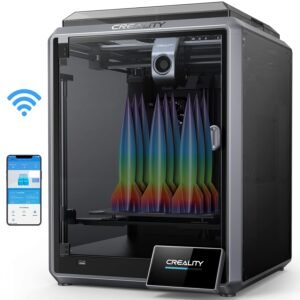
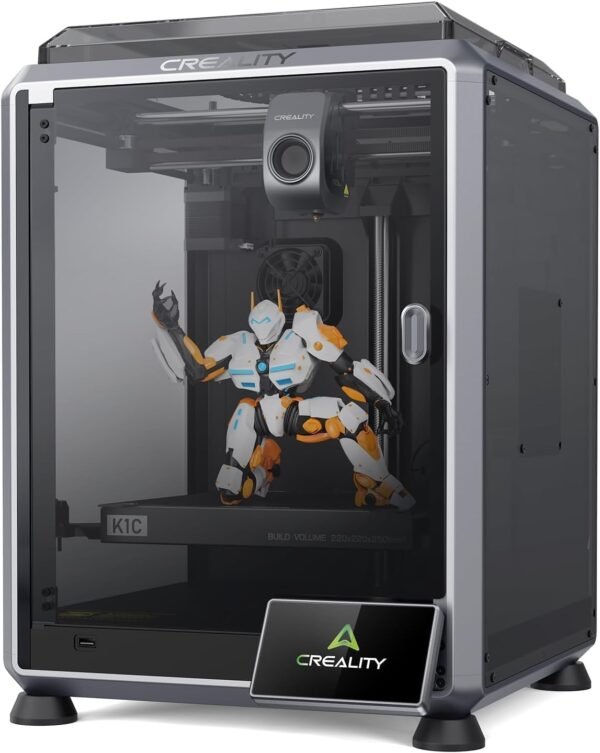
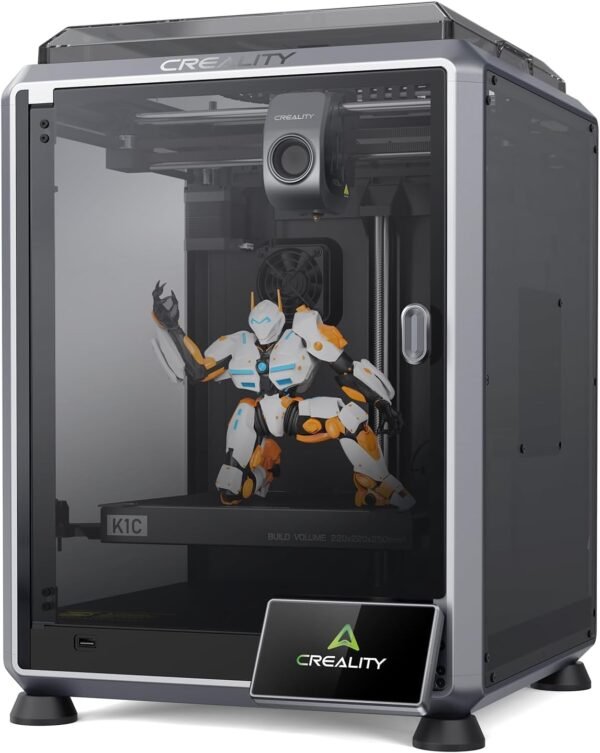
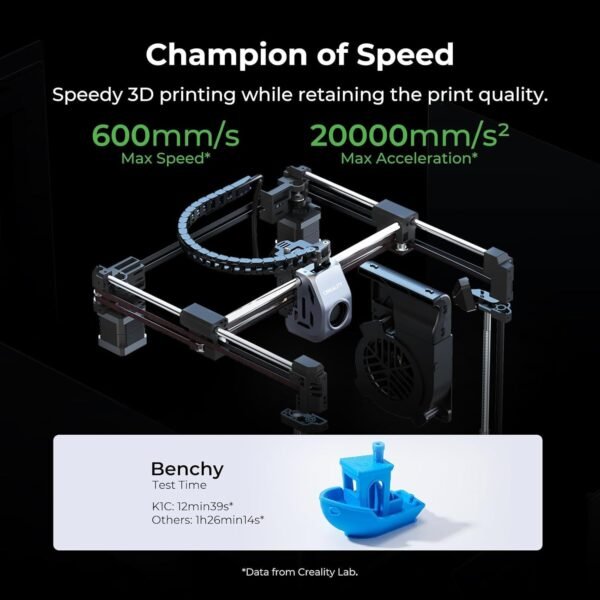
The Creality K1C 3D Printer makes a strong first impression, especially given its promise of high-speed printing up to 600mm/s. What really stands out is the CoreXY system, which makes this printer incredibly fast and efficient. Compared to many other 3D printers in this class, this one runs about 12 times faster but still manages to keep the print quality remarkably sharp. The vibration resistance also plays a huge role here, as it prevents the usual wobbling that ruins prints at high speeds. The quick-swap tri-metal nozzle is another notable feature; it makes maintenance less of a headache and supports clog-free extrusion for up to 1,000 hours. This means fewer interruptions and more consistency during long prints.
- 600mm/s fast printing speed
- Clog-free tri-metal nozzle system
- Vibration-resistant CoreXY design
Advantages of Auto-Leveling and User Convenience
One of the most refreshing things about this 3D printer is how easy it is to get started. It arrives as a pre-assembled complete machine, so there’s no stressful setup or confusing assembly manuals. Powering it on and following the built-in start-up guide leads straight to auto calibration with a single tap, which takes care of the rest. This auto-leveling feature is a big time-saver, especially for those who aren’t experts or don’t want to fiddle with manual adjustments every time. The touchscreen interface is intuitive, making it a breeze to navigate through different settings. For anyone who jumps between projects, this convenience matters a lot.
Good Aspects of AI Camera and Print Monitoring
A feature that genuinely stands out is the AI camera integrated into the printer. It continuously monitors prints in real-time and even offers time-lapse shooting. The camera catches errors early on, which prevents wasted filament and frustration. In batch printing scenarios, the AI can detect a failed individual print and exclude it without stopping the entire process. That’s a game-changer for anyone managing multiple jobs or printing complex models. The remote monitoring aspect means a print can be checked on without hovering over the machine constantly, which is excellent for multitasking.
Drawbacks in Noise Levels and Print Volume
Although the printer’s silent mode is advertised to reduce noise down to around 45dB, it still produces a noticeable hum during operation. It’s quieter than many traditional 3D printers but not whisper-quiet enough for very noise-sensitive environments. The built-in active carbon filter is a thoughtful addition, intended to filter compounds released during filament melting, which is a point in its favor for indoor placement. On the downside, the build volume of 220 x 220 x 250mm might feel limiting if you’re tackling larger projects. For hobbyists focusing on smaller to medium-sized prints, it’s sufficient, but professionals needing bigger prints might need to look elsewhere.
- Noise reduction is good but not silent in absolute terms
- Build volume somewhat limited for large prints
- Active carbon filter fitted for indoor placement
Performance with Carbon Fiber and Material Compatibility
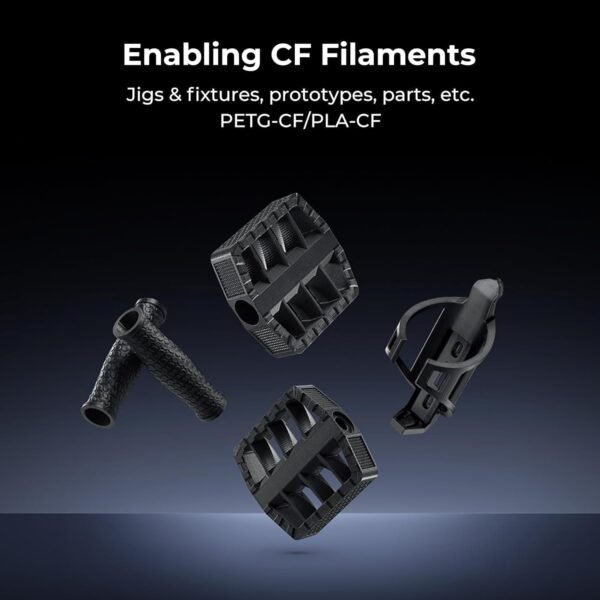
This printer is rated for carbon fiber filaments like PLA-CF and PETG-CF, and the hardware backs that up. The closed chamber design and hardened steel nozzle make it robust enough to handle abrasive filaments that typically wear out nozzles quickly. The strength and dimensional stability of these materials matter for engineering parts or functional prototypes. Besides carbon fiber, the printer also supports a variety of materials such as PLA, ASA, TPU, and PETG, providing versatility for different projects. The cooling system and software optimizations like intelligent cooling and ultra-thin supports further enhance print quality across these materials.
Price to Quality Ratio and Value Proposition
Considering the features packed into this printer, the price to quality ratio seems quite reasonable. The CoreXY mechanism, AI camera, auto-leveling, and multi-material support are often found in pricier models, yet this one brings them together in a more compact and user-friendly package. It’s definitely an investment worth considering for those who want fast, reliable prints without the steep learning curve. While the noise level and build size might not suit everyone, the overall functionality and ease of use make it a solid choice for creatives, educators, and small businesses alike.
Competing Brands and How This Printer Stacks Up
Looking at other popular 3D printers in the market, such as the Prusa i3 MK3S+ and Anycubic Vyper, the K1C holds its own with faster speeds and that nifty AI camera feature. The Prusa offers superb print quality and reliability but tends to be slower and requires more manual leveling. Anycubic Vyper has an auto-leveling function too but lacks the advanced AI monitoring and carbon fiber readiness. On the flip side, some competitors boast larger build volumes or quieter operation, which the K1C doesn’t quite match. If speed and smart monitoring are your priorities, this printer is a strong contender; however, for ultra-quiet or massive prints, others might be better suited.
Pitfalls to Watch Out For
Despite many strengths, there are a few areas where this printer could improve. The noise during high-speed printing could be distracting in quiet workspaces, and while the AI camera is helpful, its alert system could sometimes be overly sensitive, flagging minor hiccups that don’t require intervention. The software, although open source and versatile, occasionally experiences glitches that might frustrate newcomers. Also, the weight and footprint, being about 35 pounds and 30 x 25 x 35 inches, mean it needs a dedicated, sturdy space. It’s not the most portable option for casual users or those with limited workspace.
- Noise can be intrusive at top speeds
- AI alerts may be overly cautious
- Software glitches occasionally disrupt workflow
- Large footprint requires dedicated setup space
The Creality K1C 3D Printer brings together fast printing, innovative features, and a few quirks worth planning around. It’s definitely a device that caters to enthusiasts who appreciate smart technology and speed, but it’s not without its trade-offs in noise and size.