

Description
Positives of the Creality Ender 3 V3 SE 3D Printer
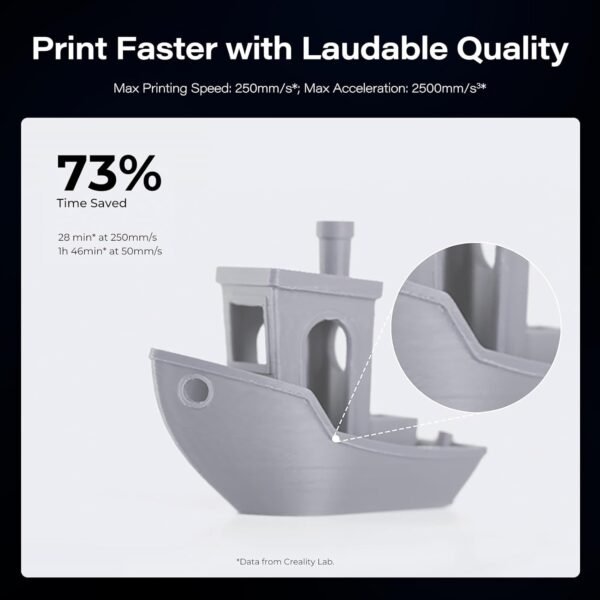
The Creality Ender 3 V3 SE is built around the two things owners most often praise: high-speed precision and reliability. The printer is rated for a maximum printing speed of 250mm/s and an acceleration of 2500mm/s², which is the pairing that makes short print times possible without sacrificing quality. The Sprite Direct Extruder is compatible with materials such as PLA, PETG, and flexible TPU, opening up filament choices that many printers at this price cannot handle, a real advantage for hobbyists and professionals working across different materials.
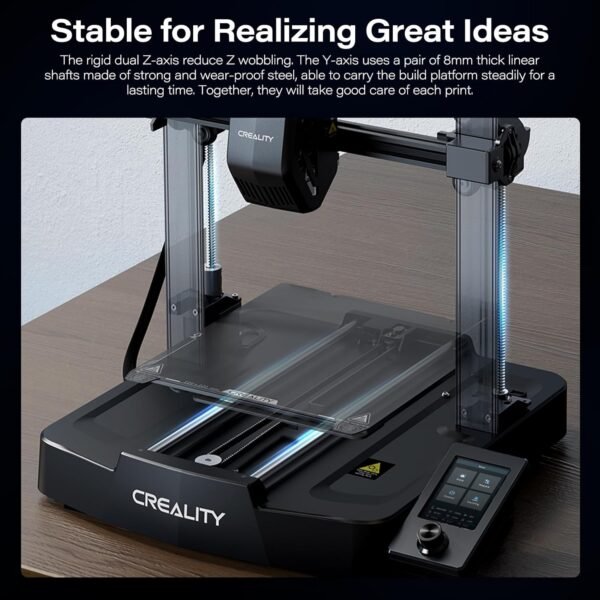
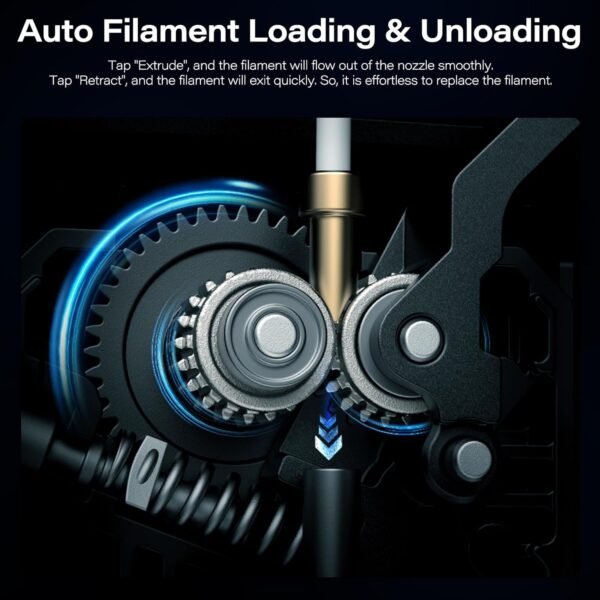
This model’s auto filament loading and unloading feature is a meaningful upgrade. A simple tap on “Extrude” starts the filament flowing, and “Retract” pulls it back without any fuss. It removes most of the tedium from filament changes, and it is one of the features that makes the machine approachable for someone new to 3D printing. The dual Z-axis design combined with robust 8mm steel linear shafts targets the Z-wobble that plagues single-rod printers, which means prints come out with cleaner layers and better structural integrity. Plus, the compact and elegant design with smooth T-shaped profiles is not just functional, it looks good on a desk.
- High printing speeds up to 250mm/s with stable acceleration
- Auto filament loading/unloading simplifies setup
- Versatile extruder compatible with multiple filament types
- Dual Z-axis reduces wobbling for better print quality
Drawbacks That Might Matter to You
Despite the many perks, this 3D printer isn’t without its quirks. The build volume of 220x220x250mm is limiting for larger projects. It covers most desktop prints but will frustrate users who want to print bigger parts in one go. Another point is the reliance on a personal computer for operation, which is inconvenient for anyone wanting a standalone experience; no built-in Wi-Fi or onboard slicing software means you’re tethered to external hardware.
The assembly process, while straightforward for anyone with some tech experience, might intimidate absolute beginners. The printer does come with quick start features like auto-leveling via CR Touch and fast filament loading, but setting up those components initially can be fiddly. Tensioner adjustment and bed leveling are the two steps that most often send new owners to online forums, which is a hurdle worth knowing about upfront.
- Limited build volume might restrict larger prints
- Requires personal computer connection for operation
- Initial assembly and setup can be challenging for beginners
Printing Performance and Quality Insights
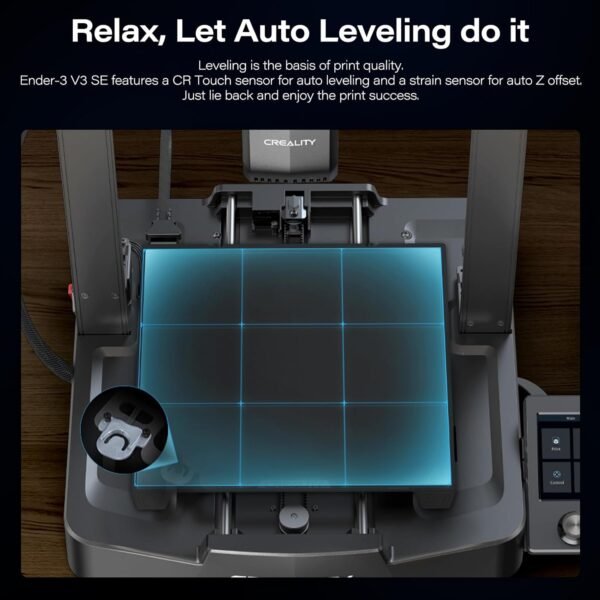
On print quality, the specification points to smoothness and precision above what the price suggests. The CR Touch auto-leveling and auto Z offset features cut manual calibration time sharply, which is what gets a print started correctly. Across detailed miniatures and functional parts, the reported layer resolution is consistently sharp with minimal stringing or ghosting. With the Sprite extruder, even flexible TPU filament runs without jamming, which is a rarity in this price range.
Temperature control is stable thanks to the standard heated bed, which supports PLA, PETG, and TPU, giving good adhesion and fewer warps. The printer’s 8mm steel linear shafts and dual Z-axis not only boost stability but also contribute to quieter operation, which matters for a machine that runs in a shared room. The color screen interface is responsive and user-friendly, providing clear menus and real-time print status updates.
Usability and Setup
The fast start-up feature is a genuine strength. From unboxing to printing, the process is streamlined enough that someone with no prior 3D printing experience can follow it through. The auto-leveling and filament loading functions mean less fiddling around before hitting print, which is a blessing for anyone juggling multiple projects or learning the ropes.
Additionally, the printer’s compact footprint (14.4 x 15.75 x 19.3 inches) means it fits on a desk or small workspace without dominating the room. However, the lack of wireless connectivity means file transfer runs over USB, which is dated compared to competitors offering Wi-Fi or cloud-based options. Still, the tactile feedback on the color touchscreen keeps navigation smooth and intuitive.
Product Comparisons with Other 3D Printers
In comparison to popular alternatives like the Prusa i3 MK3S+ or the Anycubic Vyper, this 3D printer holds its own, especially considering its price point. The Ender 3 V3 SE’s dual Z-axis and 8mm steel shafts give it a sturdier build than many competitors that rely on single Z-axis rods, which often leads to wobble during taller prints. While the Prusa offers more advanced features like onboard slicing and filament sensors, it comes at a significantly higher cost, making the Ender 3 V3 SE a more budget-friendly option for those seeking solid performance.
Compared to the Anycubic Vyper, which boasts faster auto-leveling and larger build volume, the Ender 3 V3 SE edges out in filament versatility and material compatibility, especially with TPU. However, the Vyper’s inclusion of Wi-Fi and touch interface is more modern, which could be a deciding factor for users valuing connectivity.
Value for Money and Price Performance
Evaluating the price to quality ratio, this printer offers excellent value given its features. The auto filament loading/unloading, high print speeds, and dual Z-axis system are typically found in higher-end models, yet this device remains accessible to makers on a budget. While it isn’t the cheapest on the market, the investment is justified by the reliability and print quality it delivers.
For those who don’t mind a bit of setup and prefer to tinker with settings, this printer rewards with consistent prints and material flexibility. If you’re after a machine offering affordable quality without compromising on essential features, this model should be on your shortlist.
Design and Build Quality Details
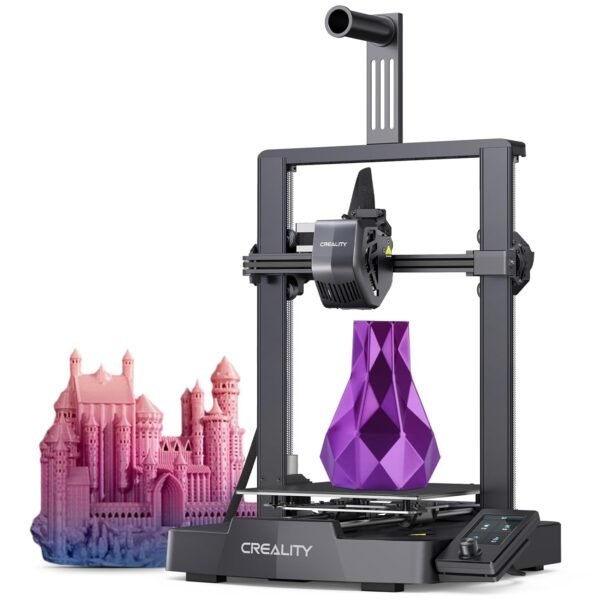
The sleek black finish and compact design make this printer a stylish addition rather than an eyesore cluttering a workspace. The neat X, Y, and Z-axis arrangement with discreet tensioners shows thoughtful engineering focused on both aesthetics and function. Its 20.1-pound weight gives it enough heft to stay put during fast or intricate prints without shaking.
The steel linear shafts are what deliver smoother motion during printing, reducing the mechanical noise usually associated with budget printers. The sturdy frame supports the heated bed and extruder assembly well, giving it a durable and dependable feel rather than a flimsy one.
This 3D printer blends performance, ease of use, and thoughtful design into a package that suits enthusiasts and professionals alike. While not without its limitations, it offers a lot for the price point and stands out in a crowded market through its speed, stability, and versatility.