Description
Highlights of the NovaStar VX4S LED Video Panel Controller
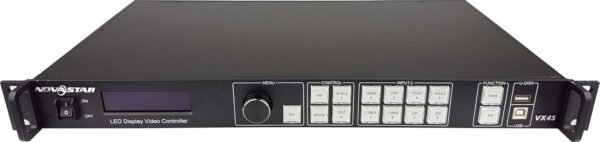
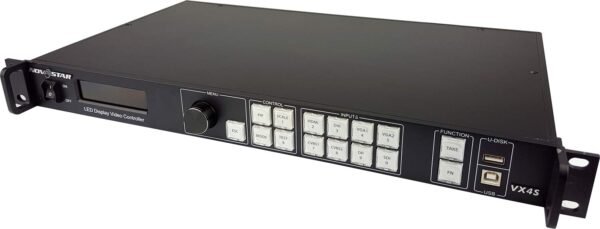
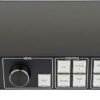
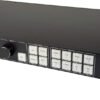
The NovaStar VX4S LED Video Panel Controller is an interesting unit, especially considering its focus on professional LED display control. This device excels in delivering excellent image quality, which is noticeable the moment you power it on. The 10bit/8bit HD video source compatibility supports smooth visuals with vibrant colors, making it a great choice for broadcasting and digital signage applications. One specification that stands out is support for adjustable location and size of Picture-in-Picture (PIP), which adds a layer of flexibility rarely found in similar controllers. The interface is unusually user-friendly, relying on just one knob and one button to configure the entire system, which simplifies what could otherwise be a complex process.
- Supports multiple controller montage for large screens
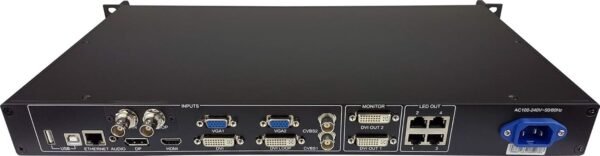
- HDMI and external audio input options
- 10bit/8bit HD video source compatibility
Drawbacks of the LED Video Controller
Despite many strengths, there are some less favorable aspects worth flagging. Setting up the device initially can feel a bit daunting if you’re not familiar with LED video panel controllers or industrial-grade equipment. The manual could be more detailed, since it leaves advanced settings thinly documented. Another point is the size and weight; at 25 x 6 x 15 inches and 12.57 pounds, it’s not the most compact or lightweight unit, which might be a concern if portability is important to you. Additionally, although it supports multiple controller montage for large screens, syncing multiple units can occasionally be tricky without precise calibration, especially for users new to the NovaStar ecosystem.
- Steep learning curve for beginners
- Bulky dimensions and weight
- Multiple unit synchronization can be challenging
User Experience and Interface
The system configuration using a single knob and button is both a blessing and a curse. The design keeps things simple during live operations, but it also means you sometimes have to scroll through multiple options to find exactly what you want, which can slow down adjustments during fast-paced events. Operators tend to find it intuitive once they are used to it, but the first-time setup definitely requires patience. The HDMI and external audio inputs are a practical addition, integrating various sources without additional converters. The controller’s ability to manage PIP adjustments on the fly is a standout feature for presentations and live broadcasts, making it easy to highlight secondary content without interrupting the main display.
Suitability Under Real-World Conditions
The specification points to a controller that holds up well under pressure in different environments. Image quality stays sharp and color-accurate whether connected to a 4K source or a standard HD feed. The 10bit/8bit processing definitely contributes to smoother gradients and less banding, which is crucial for professional settings like studios and event venues. In a multi-panel setup such as a trade show, the device is rated to handle the large screen montage, though the initial alignment takes time. Audio synchronization is consistent, thanks to the external audio input support, which keeps video and sound locked together. Overall, the controller’s feature set is a clear step up from older generation units.
Competitors and Market Rivals
Comparing this unit to other LED video panel controllers like the Novastar VX6S or the Colorlight X16, it holds its ground well in terms of image quality and ease of use. The VX4S’s interface simplicity beats some competitors that rely on complicated software setups, but those other products sometimes offer more advanced settings for those who want deeper customization. For example, the VX6S supports higher refresh rates and more input options, appealing to users who need cutting-edge specs. Meanwhile, Colorlight’s offerings tend to have a more modular design, which is handy for users who prioritize flexibility and scalability. However, the VX4S shines in stability and reliability, which is often a top priority in broadcast environments.
Price to Quality Ratio
Considering the features packed into this controller, the price point offers a solid value proposition. It’s certainly not the cheapest on the market, but the investment feels justified given the durability, image quality, and professional-grade features it provides. For those who want a budget-friendly controller without sacrificing key broadcast functionalities, this model strikes a good balance. The ability to control large screen montages and the smooth integration of audio inputs means fewer additional purchases, enhancing its overall cost-effectiveness. Users looking for a simple yet powerful solution will find that this controller offers money’s worth in terms of performance and reliability.
Design and Build Quality
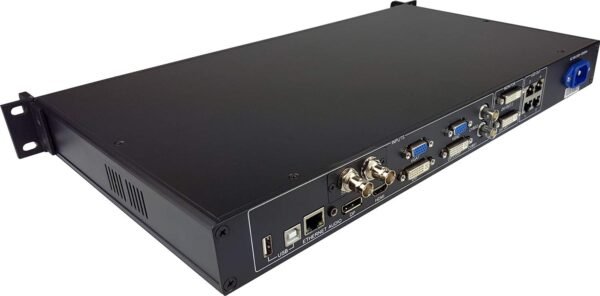
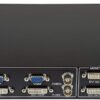
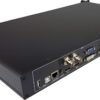
The controller’s sturdy metal chassis gives a reassuring sense of durability, well suited to frequent transport between venues or studios. Its dimensions might make it less ideal for cramped control rooms, but the solid build means it can withstand the rigors of professional use. Ports and connectors are laid out in a straightforward manner, making cable management easier than expected. The weight, while noticeable, contributes to its stability, preventing accidental movement during operation. Overall, the design balances practicality with robustness, which is a must-have for anyone handling live LED video panels regularly.
Final Thoughts on Usability and Features
On the published specification, the controller reads as a reliable choice for various video wall setups, especially thanks to its flexible image control and multiple input support. The adjustable PIP feature is a game changer for dynamic presentations, keeping audiences engaged without switching screens. It’s not without its quirks, particularly the learning curve and size, but the benefits often outweigh these minor issues. Audiences notice the clarity and smoothness of the visuals rather than the hardware behind them, and the control scheme is simple enough that a non-technical operator can follow it after a brief explanation. This controller manages to combine professional features with user-friendly design in a way that’s uncommon in this market segment.