Description
Sleek and Space-Saving Design
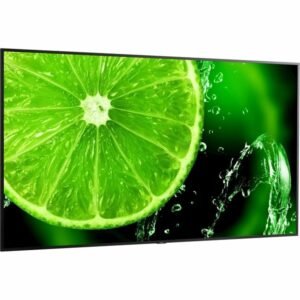
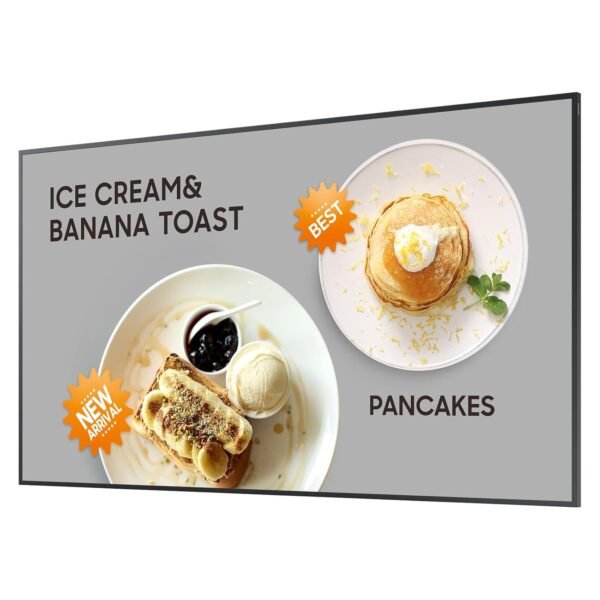
The SAMSUNG 32INCH / UHD (1920 x 1080) / 400NIT monitor is defined by its ultra-slim depth of just 1.1 inches. This is not a typical bulky display; it sits close against walls or desks, which suits environments where space is at a premium. In a home office the slim profile blends with modern furniture rather than dominating the desk. The uniform bezels on all four sides create a balanced look that doesn’t distract from the screen, and the panel is rated for both landscape and portrait orientation. This slimness isn’t just about aesthetics, it also means less clutter and a cleaner workspace.
User Interface That Makes Life Easier
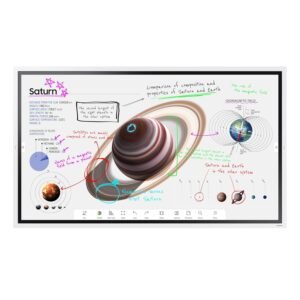
The onboard controls are straightforward. The upgraded home screen UI organizes popular sections like Features, Sources, and Settings all on one page, removing the need to dig through nested menus. The Favorites folder is the useful part, allowing the most-used functions to be pinned in place. That makes switching inputs or adjusting settings quick. The layout is simple enough for someone with no display setup experience. The ease of use here is a subtle but important factor, especially if multiple users share the display.
Brightness and Visual Performance
This display is rated at 400 NIT, which is a meaningful step above the 250 to 300 NIT typical of budget office panels and holds up in a well-lit room. Images and videos appear vibrant without being harsh on the eyes. The 1920 x 1080 Full HD resolution delivers crisp visuals with clear text, suitable for both work and entertainment. Though it’s not 4K, the pixel density at 32 inches remains workable for everyday tasks including video and detailed spreadsheets. The glossy screen surface enhances colors but reflects light sources, so positioning the monitor away from direct windows is a wise move.
Perks of Optional Cloud-Based Content Management
A notable option is the Samsung VXT CMS, a cloud-based content management system. It’s sold separately, which is worth knowing upfront, but the capability is compelling. The system allows remote control over hardware settings and content deployment without needing specialized training. For businesses managing multiple displays, that changes the maintenance burden considerably. It is aimed squarely at digital signage networks and remote offices rather than single-screen users.
Price to Quality Ratio
This monitor ticks many boxes without breaking the bank. Considering its slim design, Full HD resolution, and user-friendly interface, it offers solid value for anyone seeking a reliable mid-range screen. The build quality is sturdy, and the brand’s reputation adds peace of mind. Comparing it to other displays in the same class, it balances features and price well, especially if you value aesthetics and ease of use. However, those hunting for ultra-high resolution or HDR will find this lacking. For standard office or home use, though, it’s a fair deal.
Drawbacks That Are Worth Mentioning
There are real compromises here. The glossy screen, while vibrant, tends to reflect light, which becomes distracting depending on your room’s setup. Also, the resolution caps at 1080p, which some will consider outdated given the push toward 4K monitors. Remote management requires an extra purchase and is unnecessary for casual users. Another point is that the monitor weighs 15.21 pounds, which is on the heavier side for a slim design, making wall mounting a two-person job for safety.
Competitors in the Same Space
Looking around at similar products, this display’s biggest rival is the Dell P3223QE, which offers 4K resolution and USB-C connectivity. Compared to that, the Samsung model falls short in pixel density and modern ports. However, the Dell’s thickness and price point are higher. Another competitor is the LG 32QN600, offering similar FHD resolution but with less brightness and a less refined user interface. Samsung’s uniform bezel design and improved UI give it an edge in ease of use and aesthetics. For those who don’t need ultra-high resolution but want a stylish, functional screen, this one stands out.
Key Benefits
- Ultra-slim profile (1.1 inches) fits seamlessly into tight spaces
- Uniform bezels provide a clean, balanced look in any orientation
- Upgraded home screen UI with quick-access Favorites folder
- Bright 400 NIT display offers vivid visuals in well-lit environments
Limitations
- Glossy surface can cause reflections under certain lighting
- Only Full HD (1920 x 1080) resolution, no 4K option
- Remote content management feature sold separately
- Relatively heavy for a slim monitor at over 15 pounds
On specification, this display balances design, usability, and performance in a way that suits a specific buyer. It has clear limits, but it fits a niche for users who want a clean, bright screen without fuss. Whether for work presentations, casual gaming, or streaming, it holds its own nicely.